
Logic Pro for the practicing guitarist
one tip each week. week 1: Enable Complete Features

GarageBand is the free sample Apple gives you to get you hooked (so you’ll buy Logic Pro).
Logic is way more involved than GarageBand. To make it less scary, it ships with a bunch of features simplified or hidden. So our first order of business is to get access to those with “Enable Complete Features.” Then we’ll customize it for our needs.
1/ Open Preferences with command-,
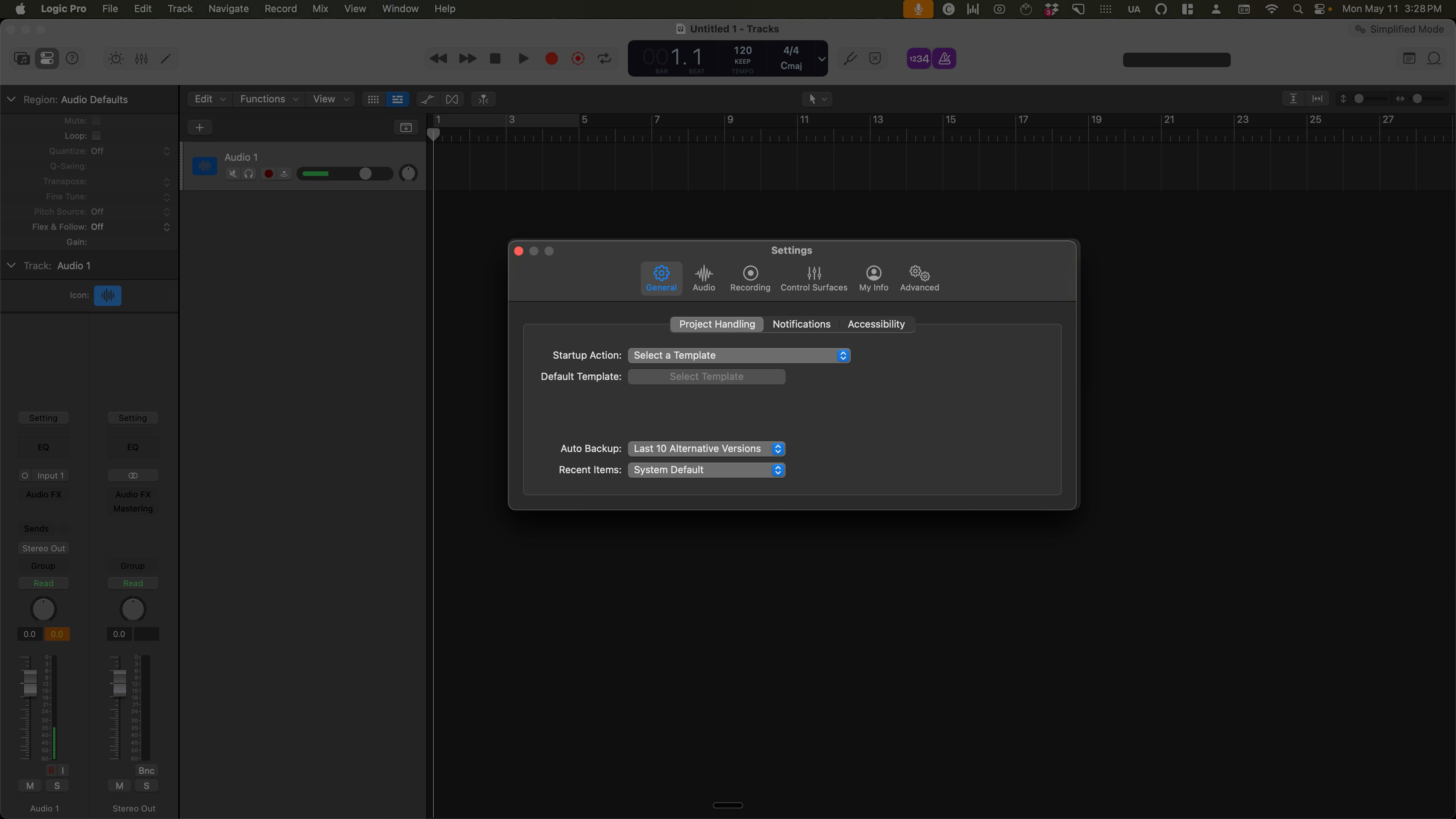
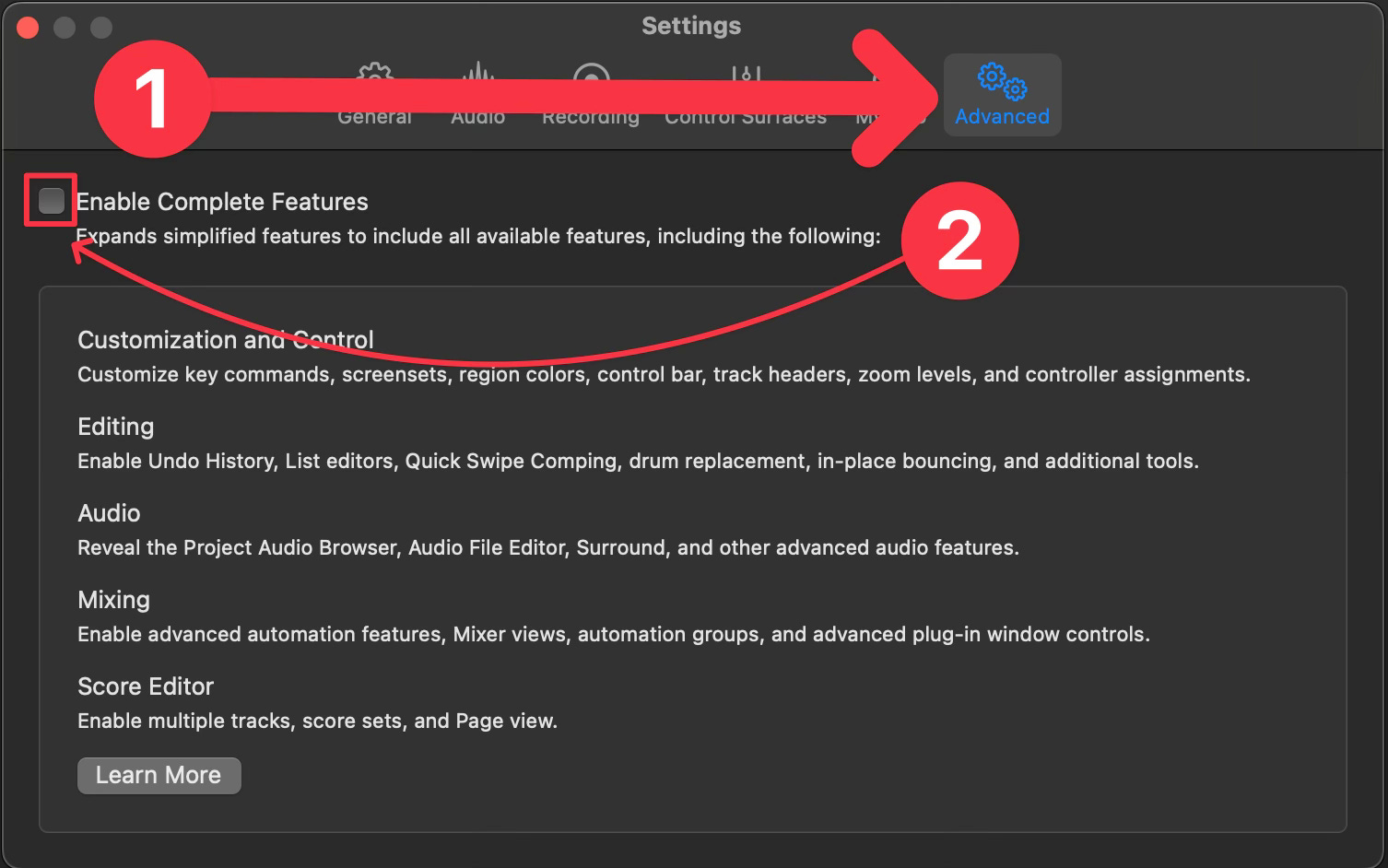
2/ Click Advanced, then check the box for Enable Complete Features
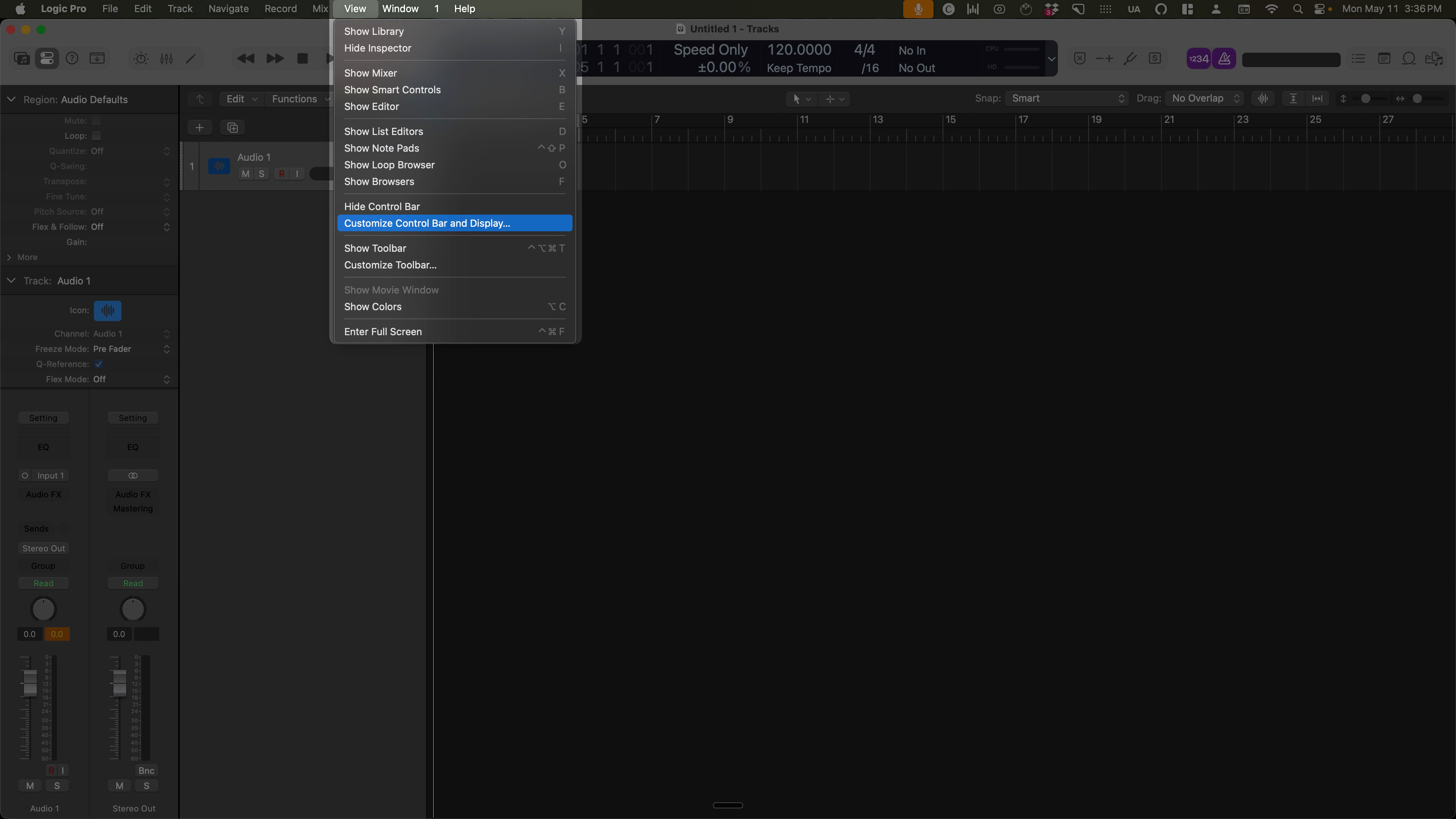
3/ Exit out of Preferences, then click the View dropdown → Customize Control Bar and Display…
4/ In the third column, change the dropdown to Custom
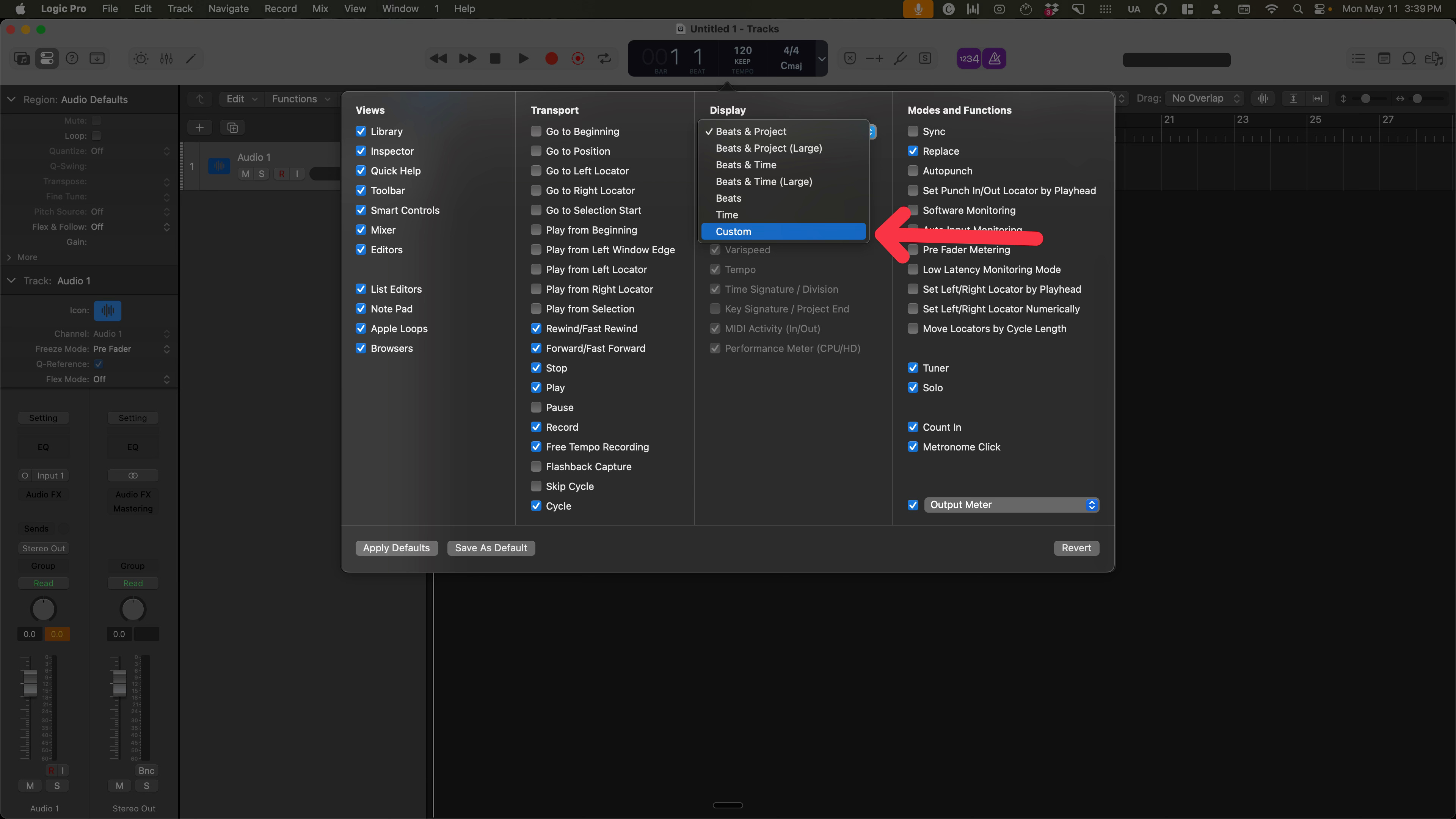
5/ There are so many options here:
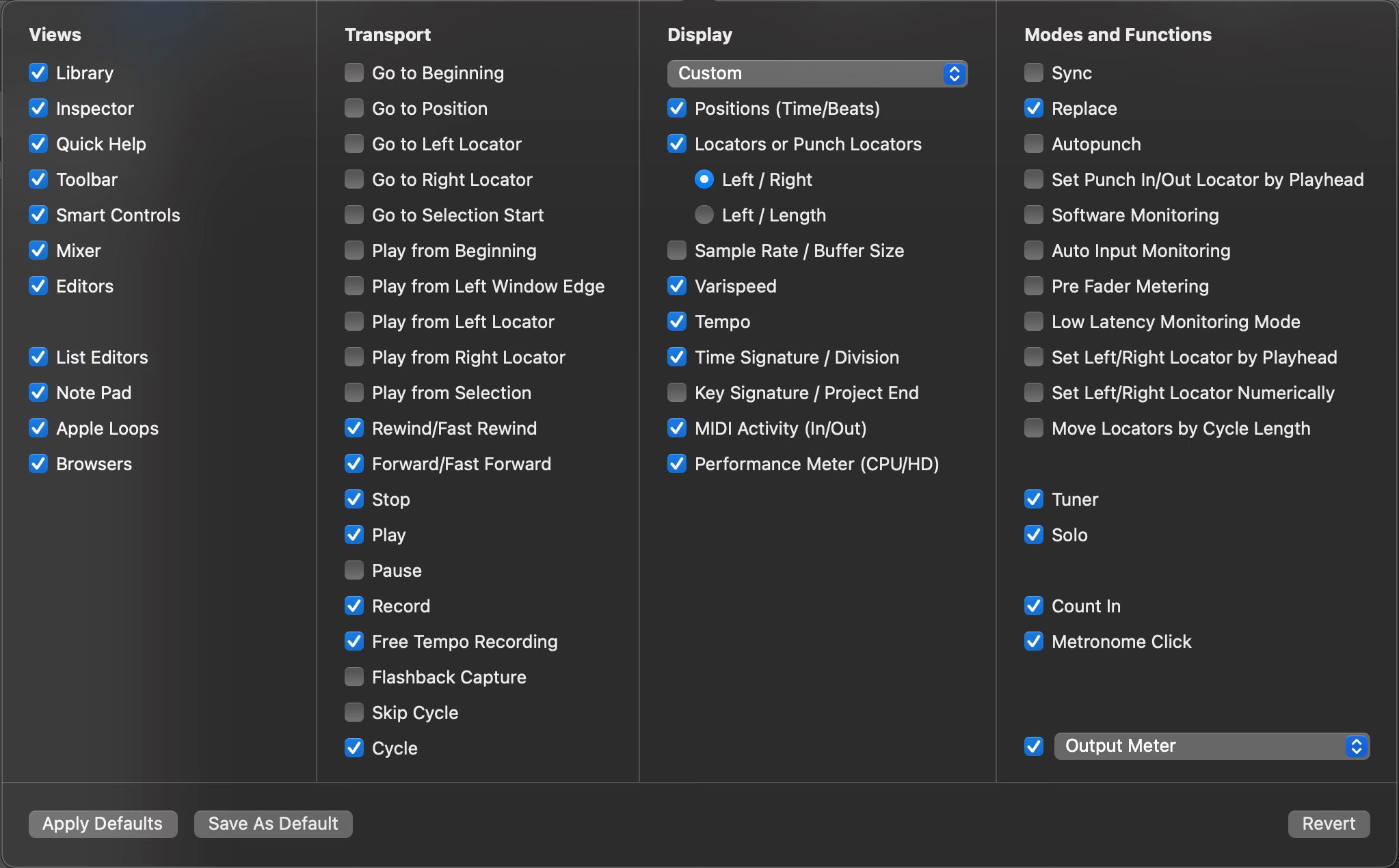
We don’t need to go over all of them, but let me walk you through two:
Positions (Time/Beats) - Musical time is based around bars & beats (eg “let’s take it from measure 17”). But clock time is still handy (eg “what do you think that synth is at the 1:24 mark?”).
Varispeed - This one is huge. Varispeed lets you slow down audio without affecting its pitch. You adjust it based on percentage (eg -20%), and it works even if the original audio isn’t one steady tempo. I use this a ton for figuring out tricky bits, then slowly ramping it up to tempo.
The rest are personal preference and/or if the current project needs them.
That’s it for today.
Next time, we’ll look at one of Logic’s best features, Adapt Tempo.